Article

Why Power BI is the Must-Have Skill for Business Professionals Today

July 17, 2026  |  5 min read

Why Power BI is the Must-Have Skill for Business Professionals Today

The Era of Visual Data

For decades, Microsoft Excel was the undisputed king of the corporate world. While Excel is still vital, businesses are generating more data than Excel can handle. Enter Microsoft Power BI.

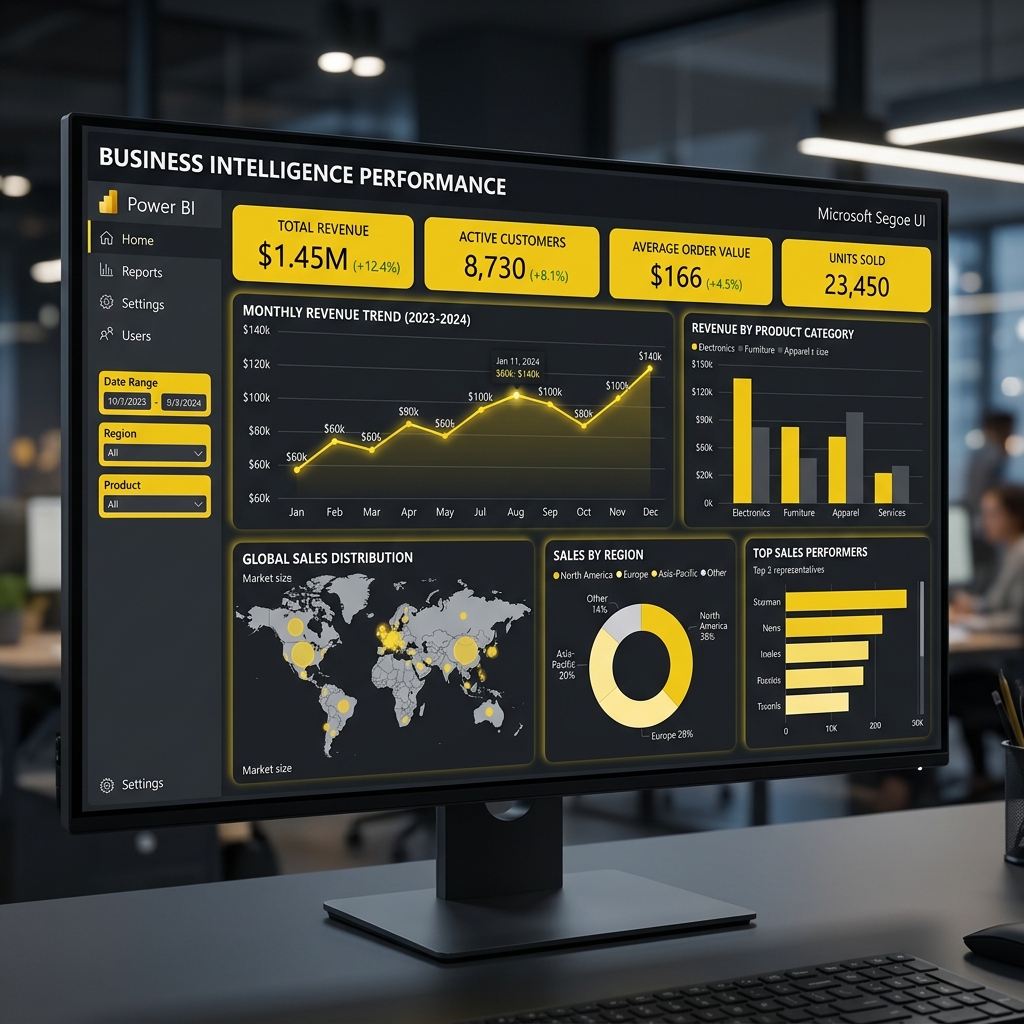
Power BI is a business analytics service that delivers interactive visualizations and business intelligence capabilities with an interface simple enough for end users to create their own reports and dashboards.

Why Employers are Demanding Power BI

If you look at job postings for Business Analysts, Financial Analysts, or even Marketing Managers, "Power BI" is frequently listed as a required skill. Here is why:

  • Data Connectivity: Power BI can connect to hundreds of data sources—from simple Excel sheets to massive SQL databases, cloud services, and web APIs.
  • Automation: Say goodbye to copying and pasting data every Monday morning. Power BI dashboards automatically refresh, giving stakeholders real-time insights.
  • Visual Storytelling: A well-designed Power BI dashboard can communicate complex financial health in a single glance using gauges, maps, and interactive charts.

The Core Components of Power BI

To master Power BI, you need to understand its three main pillars:

  1. Power Query: The ETL (Extract, Transform, Load) engine. This is where you clean your data, remove duplicates, and shape it for analysis.
  2. Data Modeling: Creating relationships between different data tables (e.g., linking a "Sales" table to a "Customers" table).
  3. DAX (Data Analysis Expressions): The formula language of Power BI. Similar to Excel formulas but much more powerful, DAX allows you to create custom calculations and time-intelligence metrics (like Year-Over-Year growth).

How to Get Started

The best part about Power BI? The desktop version is completely free to download and use. Start by connecting a simple Excel file, playing around with the visuals, and watching online tutorials on DAX basics. Adding Power BI to your resume is one of the fastest ways to increase your market value in 2026.


Social Proof

Loved by Learners & Frequently Asked

Real stories from real students — and answers to the questions we hear most.

Student Testimonials

"I am highly satisfied with their course on data science. I recommend Omnicert Technologies to every candidate who wants to get their dream job!"

Harish Kaur
Harish Kaur Data Science Student

"Their corporate training for Microsoft Advanced Excel course helped me get my desired job. The practical sessions were incredibly valuable."

Survesh Chopra
Survesh Chopra Advanced Excel Graduate

"I have taken admission in Python with Machine Learning and AI course. Faculties help students in a friendly manner and help them grasp the concepts easily."

Vikash Khullar
Vikash Khullar Python & ML Student

"Top notch curriculum and highly experienced faculty. The mock interviews were the key to my success."

Vikas Negi
Vikas Negi Machine Learning Eng. — Wipro
📦 Placed Package: 9.2 LPA

"This institute changed my life! The hands-on projects gave me exactly what I needed to clear technical rounds with confidence."

Priya Patel
Priya Patel BI Developer — Infosys
📦 Placed Package: 7.8 LPA

"The Python with ML & AI course is fantastic. The trainer explains each concept with live examples. I was a complete beginner and now I'm working as a Data Engineer at TCS."

Rahul Verma
Rahul Verma Data Engineer — TCS
📦 Placed Package: 9.6 LPA

"Mentors clarify every doubt and help prepare for standard industry interviews. The practical case studies are highly useful. Best decision I made for my career!"

Nisha Rawat
Nisha Rawat Data Scientist — Accenture
📦 Placed Package: 12.5 LPA

"The placement support and course quality are outstanding. I got thorough training in SQL, Advanced Excel, and Power BI. Within 3 months of completing the course I landed a job at Capgemini."

Abhishek Gupta
Abhishek Gupta Data Analyst — Capgemini
📦 Placed Package: 8.2 LPA
Frequently Asked Questions